MTG Carpenter
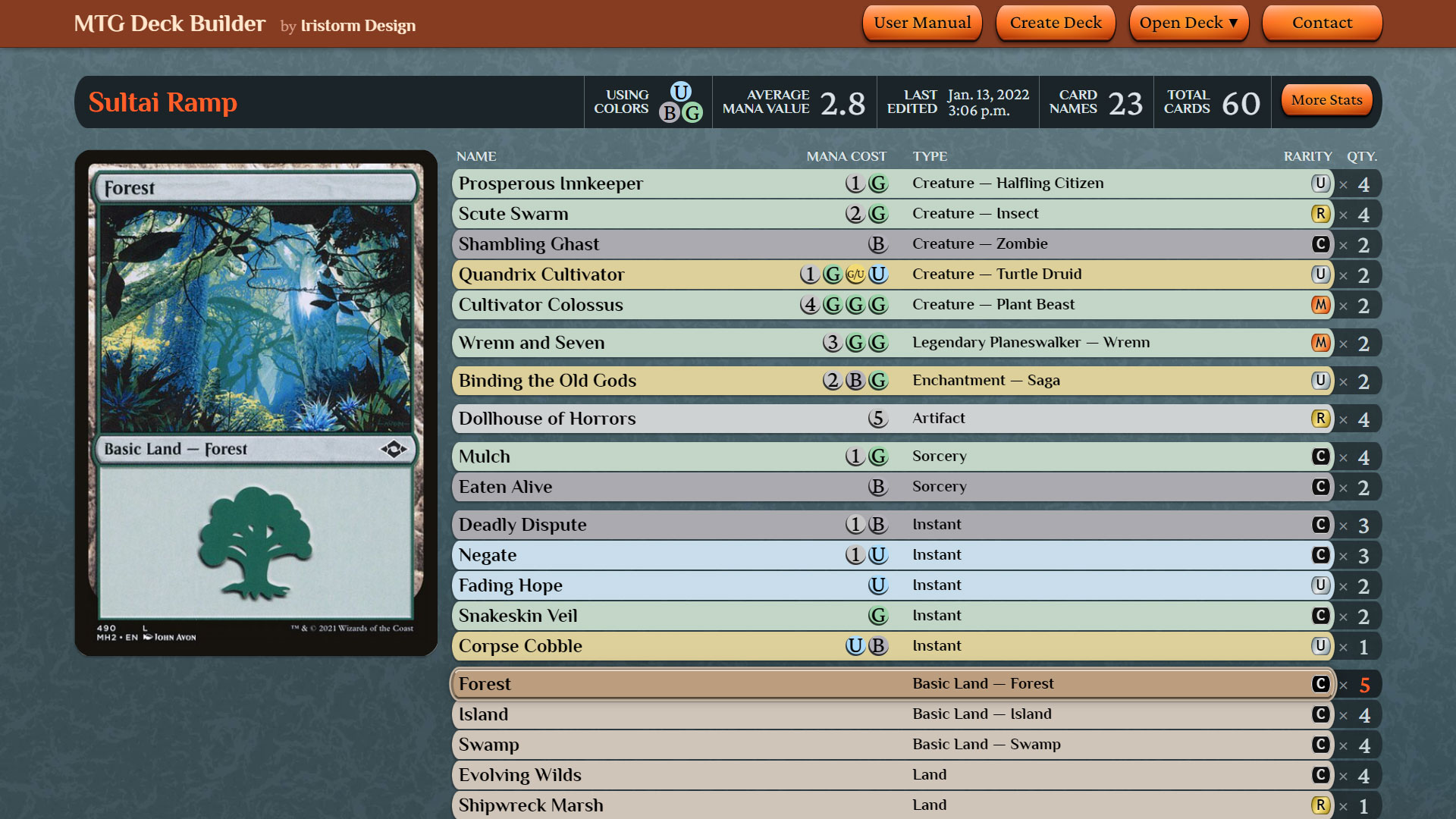
MTG Carpenter is a web app for creating and managing decks for the collectible card game Magic: The Gathering. I designed and developed this app by myself. It runs on special web technologies including Vue.js and the Scryfall API.
Article Notice: MTG Carpenter has been through several major updates since this article was written (see the app’s release notes). Consequently, this article contains some outdated information, and shows screenshots of the app taken from long past versions. I’ll eventually revise this article to reflect the current version of Carpenter, but for now, this article still provides a mostly relevant overview of the app’s design and features.
Preface
What Is “Magic: The Gathering”?
Before I explain how my app works, you should first know the gist of Magic: The Gathering, also called MTG or Magic for short. (If you’re already familiar with it, you can skip over to this article’s next section.)
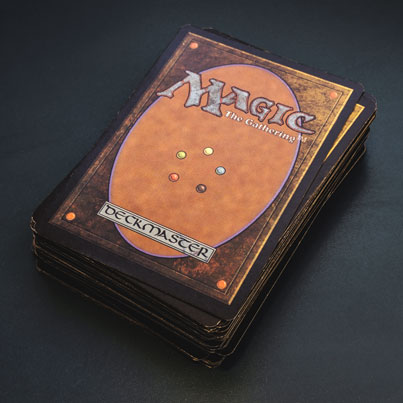
Magic is a collectible card game in which players take on the roles of powerful wizards known as “planeswalkers” who cast various magical spells to defeat their opponents.
A spell’s effect is described on a Magic card, and the cards are drawn from the players’ own shuffled decks. Usually, each player’s deck contains 60 cards that have been strategically selected from the player’s larger collection of cards. Certain cards can work well in synergy with certain other cards, resulting in more potent effects.
Since the release of the original Magic card set back in 1993 by its company Wizards of the Coast, there are more than 20,000 unique Magic cards in total so far, and additional unique cards continue to be printed today. The game remains very popular not only in its traditional cardboard form, but also in its newer digital forms such as MTG Arena.
The activity of customizing a deck of cards that’s designed to play in a way that’s strong, efficient, or even clever is a major part of Magic. With so many possible deck strategies out of so many cards to pick from, wouldn’t it be great to have something that aids players in the deck-building process?
That’s where my app, MTG Carpenter, comes in.
Explore the App
Although I could describe every little detail of MTG Carpenter, experiencing it for yourself is best. The app is free and there’s no installation or registration process, so go ahead and take a look at it now.
 Go to
MTG Carpenter
Go to
MTG Carpenter
Tip for newbies: If you don’t know of any Magic cards but you want to try adding one to a deck, enter the code “#random” as the name in the card adder, and that’ll put in a randomly chosen card.
Need help? Be sure to check the User Guide, available directly in the app. (It took me a while to make just the Guide! I wonder if writing it was worth my time, especially because I think I’ve made the app easy enough to use that providing instructions might be superfluous.)
Why I Made This
My original motivation for creating MTG Carpenter—originally named MTG Deck Builder by Iristorm Design—was to learn and dabble with Vue.js, which is a JavaScript framework that the app has been built on. (More on Vue.js later.)
Once I had decided to start educating myself on Vue.js, I browsed through a bunch of online tutorials on it, and I noticed that most of them taught how to make an app that makes to-do lists. Ugh, to-do lists? Boring. There are already so many to-do list apps that I could make an app that lists all to-do list apps.
Instead, I decided to make an app that ultimately became MTG Carpenter, which is at least more interesting to use than a to-do list app. Even for people who know nothing about Magic: The Gathering, they can still look at the cards’ pretty pictures shown in the app.
Making an app like Carpenter instead of a to-do list app would also help my JavaScript knowledge grow, because Carpenter has extra functionalities I’d need to learn how to program that a basic to-do list wouldn’t have.
App Design
I’ll explain my decisions about how I designed MTG Carpenter. (By the way, this article assumes you’re at least a little familiar with the app. If you haven’t already, you really should try out MTG Carpenter for a bit so that you can better understand the rest of this article.)
Home Page
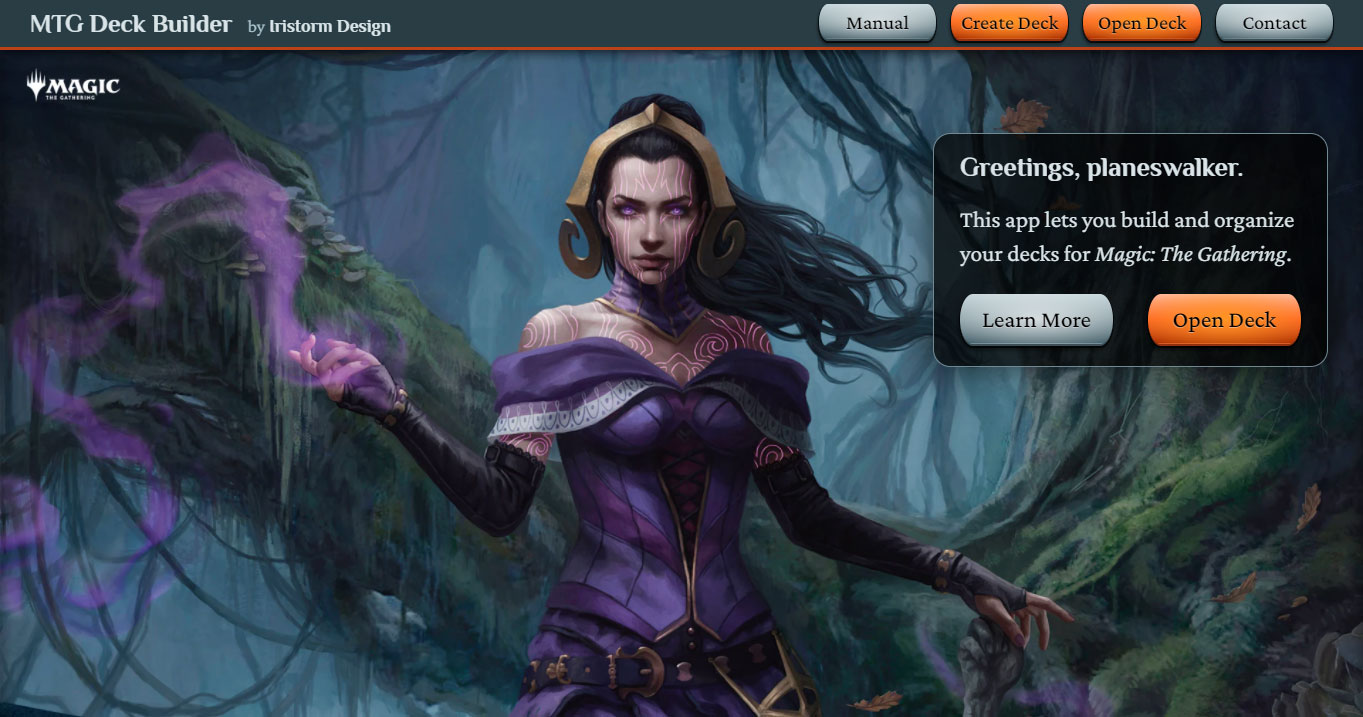
On MTG Carpenter’s home page in the “above-the-fold” area is a full-width illustration, “Liliana, Waker of the Dead” by Magali Villeneuve, provided by Wizards of the Coast’s archive of free downloadable computer wallpapers.
I chose to put a large illustration on the home page because it’s eye-catching and evokes a certain mood and theme. Fans of Magic may recognize the depicted character too, which hints to them at a glance what this app is about when they first arrive on it.
Fonts
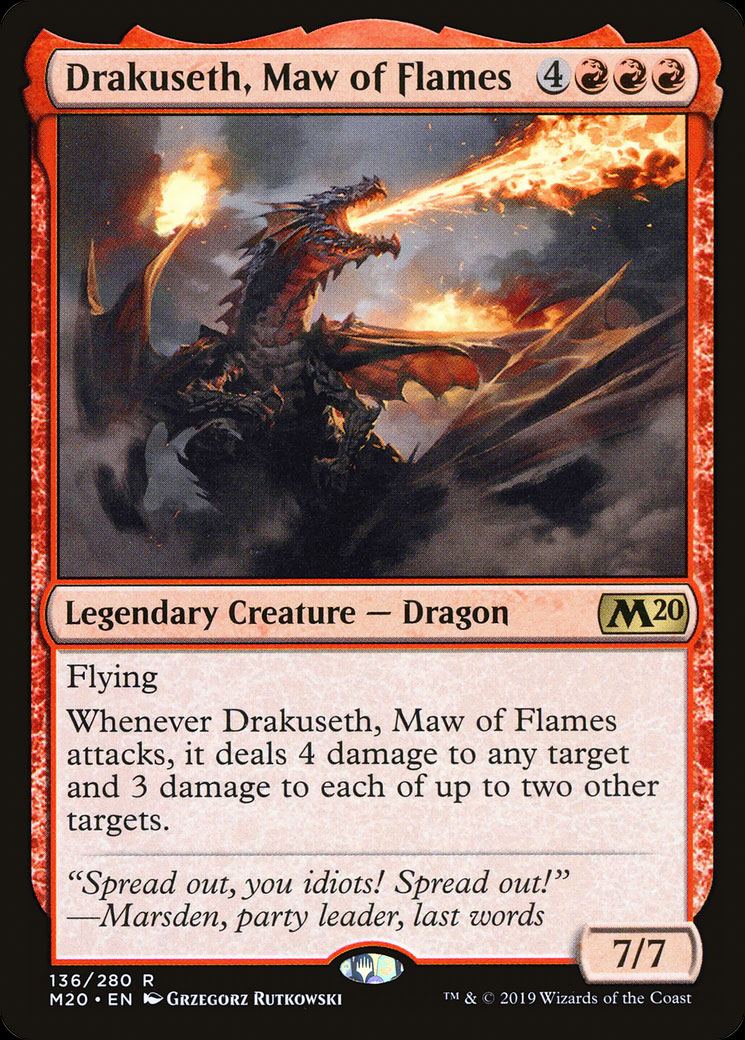
MTG Carpenter mainly uses fonts from two font families, both of which are provided by Google Fonts:
- Philosopher: I used this font family for titles and headings. It’s the closest typeface available from Google Fonts that mimics the typeface printed on the name and type lines on Magic cards.
- Crimson Pro: I used this font family for body text. It’s the closest typeface available from Google Fonts that mimics the typeface printed in the text boxes on Magic cards.
Buttons
The card lists on deck pages contain a column of short, wide buttons, each of which is labeled with a card’s name and other card attributes. I designed these buttons to look like the rounded-corner bars on the frames of Magic cards, which display the same attributes as MTG Carpenter’s card buttons. I made the color of these card buttons a little more saturated so that the cards’ mana color type is more readily distinguishable when skimming through a card list.
To achieve a visual motif throughout Carpenter, I designed some other elements in the app with the same kind of rounded-corner style that the card buttons have.
Color Scheme
The color scheme of MTG Carpenter’s design has three base colors. I then made additional colors derived from those base colors by varying their tones and shades. The color scheme’s base colors are the following:
- “Mythic Orange”—the name I’ve given for a certain vivid reddish orange that I sampled from the modern logo of Magic. I used Mythic Orange and derivative colors of it for text links and some buttons, and as an accent color on some other elements. As its name suggests, Mythic Orange is also used on the “mythic rare” symbols in Carpenter.
- A sky blue color that I produced in Adobe Photoshop by inverting Mythic Orange, and thus this color acts as the complement to it. In Carpenter, I never used the sky blue in its original form, but I did often use derivative colors of it. Most notably, I used a much darker and dimmer adjustment of it for the app’s background. The colors of text and gray buttons use super de-saturated adjustments of the sky blue.
- A yellowish orange that I produced in Photoshop by layering pure white over Mythic Orange with an overlay blend mode. I often used the yellowish orange color together with mythic orange for highlights. A lighter, paler variation of this color is used for the backgrounds of some areas.
Some colors in Carpenter are outside the color scheme I designed, such as the color of the mana symbols and the card rarity symbols. Those colors I sampled from the colors of their original sources, with some slight tweaks to make them pop a bit more.
Background Appearance
MTG Carpenter’s page background is an abstract textured pattern. I made it by starting out with a texture produced on “nnnoise” by fffuel, a tool that generates SVG (Scalable Vector Graphics) images of visual noise with some user customization options. I customized the texture further with some tweaks in Adobe Photoshop.
Although the nnnoise tool originally produces the texture as an SVG, which has the benefit of having a much smaller file size than a traditional JPEG or PNG image file, I ended up converting it to a JPEG because I found that the SVG with all its special filters had caused noticeable slowdowns in performance. However, I still appreciate starting from SVG, because SVG’s turbulence filter, which is used to generate the visual noise, has a way to turn the image into repeatable tiles that seamlessly blend into each other without extra effort, which is how I put it into use for Carpenter’s background.
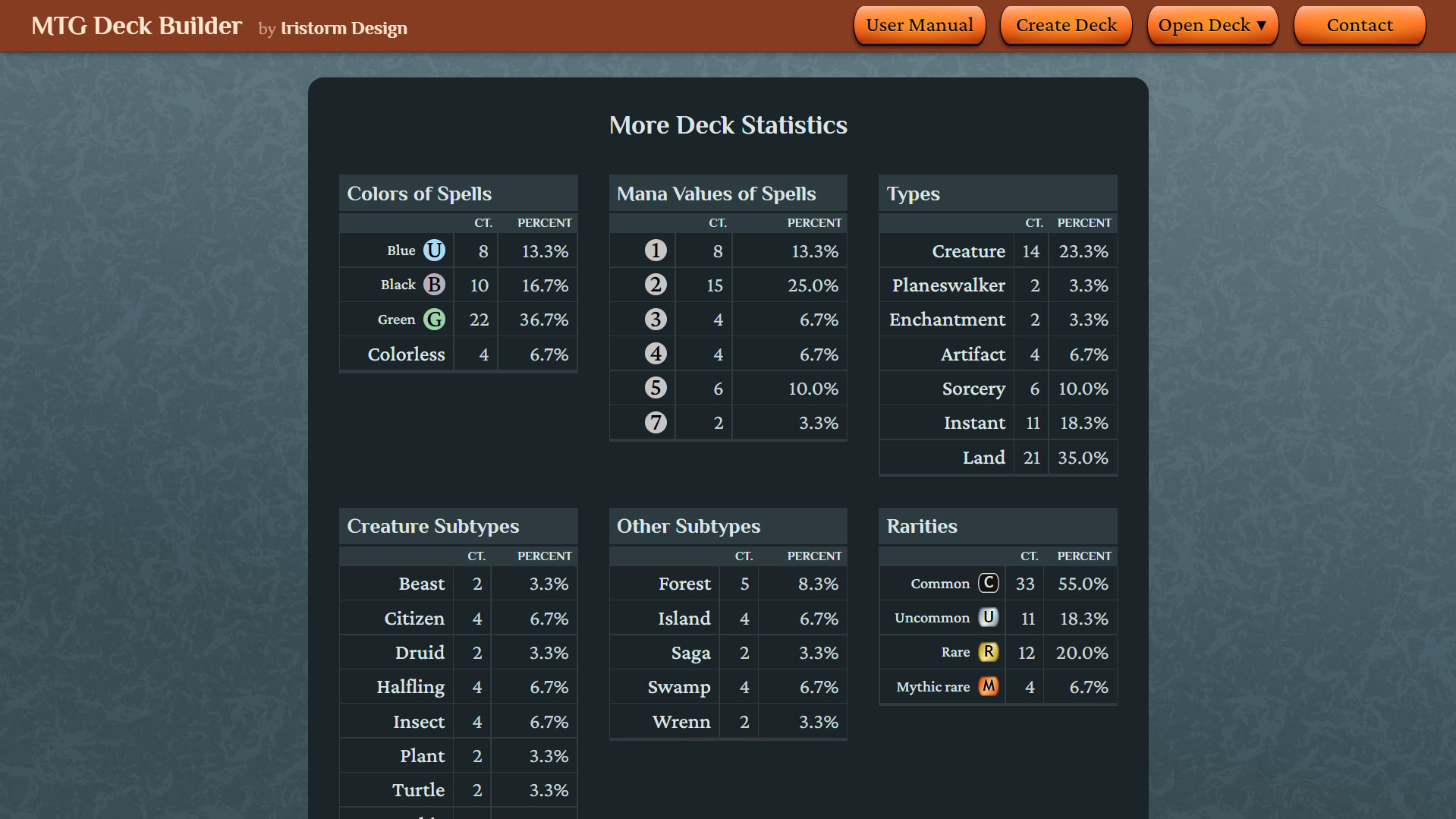
I wanted the background to have some kind of textured appearance, because I felt that a solid color instead would look too plain in contrast to the app’s display of Magic cards, which have textured frames as well as detailed illustrations.
I chose to make the background an abstract texture because I wanted it come across as “neutral” among the five mana colors of Magic. If I were to use a background that mimics the texture of a real thing, then the app might seem biased toward particular a mana color, which I wanted to avoid. For example, I once had considered giving the background a wood texture, but I ditched that idea because wood might seem partisan to green mana, the mana color for trees and forests.
Responsive Design
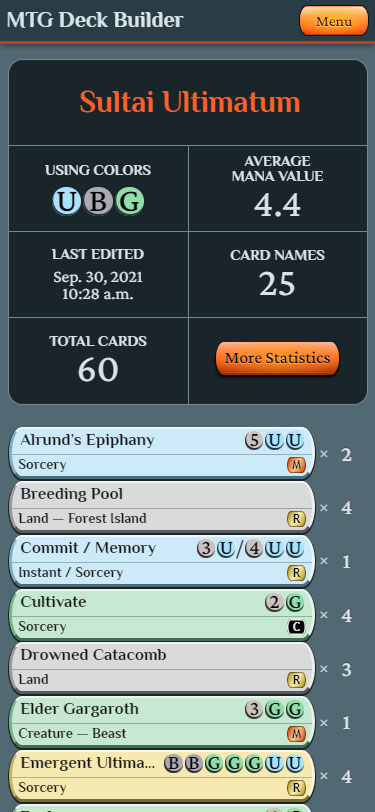
I’ve designed MTG Carpenter to work on any size screen, whether a smartphone’s or a big desktop monitor’s. The app’s page layout and arrangement of elements automatically re-adjust according to the current shape of the user’s web browser.
On the card lists on deck pages, I made the card buttons’ height a little taller when displayed on a touchscreen device so that they’re easier for users to tap on with accuracy.
App Development
I’ll explain the technical aspects behind MTG Carpenter. (Warning: If the topic of a collectible card game seemed geeky to you, then the incoming tech mumbo-jumbo is going to be overwhelmingly geeky. I’ll try to keep it simple, though.)
Vue.js

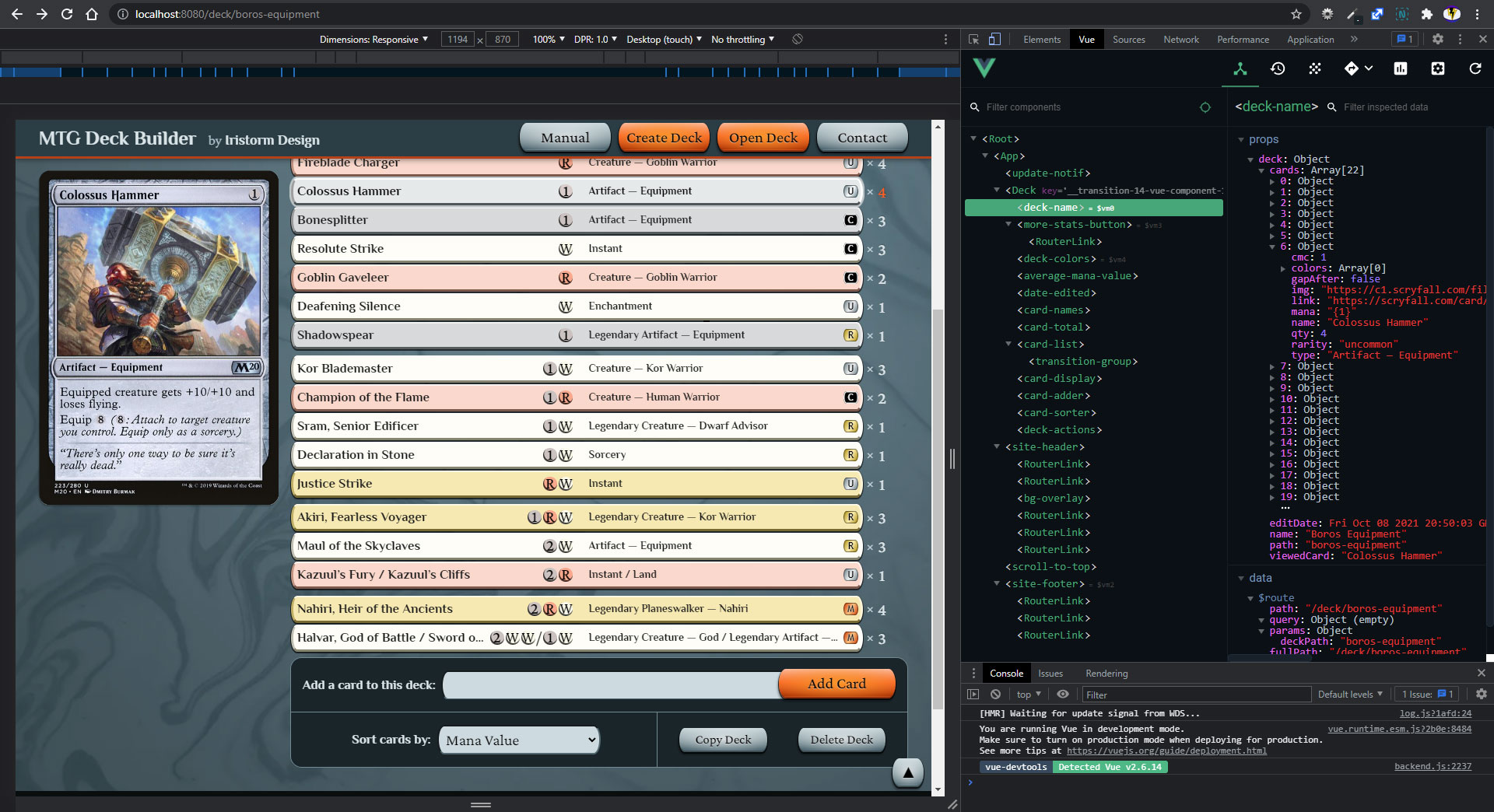
I built MTG Carpenter on Vue.js, which is one of the most popular JavaScript frameworks for building reactive UIs (user interfaces) for web apps.
Compared to other popular JavaScript frameworks such as React and Angular, Vue.js is more efficient, flexible, and easier to code in, and it has better documentation for developers. For these reasons, Vue.js became my JavaScript framework of choice.
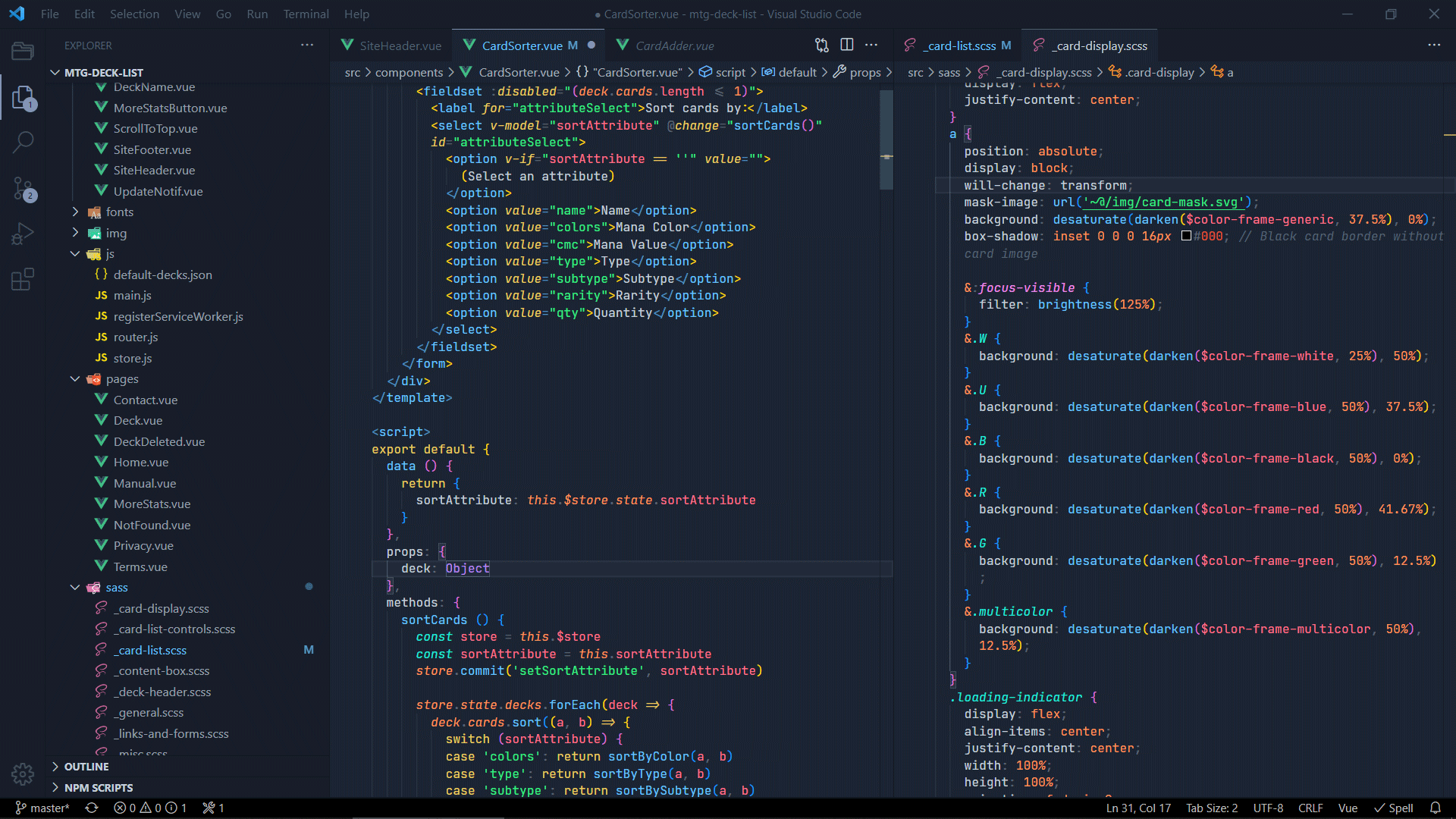
As a Vue.js app, Carpenter is made up of multiple parts known as single file components. Some components, such as the site header, are displayed constantly throughout the app, while other components, such as the card list on a deck page, are displayed only under certain conditions. A Vue component file contains the HTML templates for displaying the component in the app as well as any JavaScript functions associated with the HTML elements.
Component files are also able to have CSS or SCSS for styles. However, I instead preferred to keep most of the styles separated in their own SCSS files to prevent the component files from becoming excessively long.
I used version 2 of Vue.js, which was the latest stable version at the time I had begun making Carpenter.
Scryfall API

Scryfall is an advanced search engine for Magic: The Gathering cards. It has a public API (application programming interface) that MTG Carpenter connects to for obtaining data about any card on demand, including the card’s name, image URL, and attributes (mana cost, rarity, etc.).
The card images that Carpenter displays are loaded directly from Scryfall’s web servers. Being concerned for optimizing performance and enhancing UX (user experience), I’d normally consider having Carpenter pre-load the images of every card on a deck page while idle. However, to be respectful of the use of Scryfall’s servers, I didn’t want to overburden them with a bunch of simultaneous requests for images that might not even end up being seen by the user, so I decided against pre-loading in this case.
Other JavaScript Tools
I used several JavaScript-based tools that enhance the functionalities of MTG Carpenter, the most important of which include the following:
- Vue CLI: This provides a development toolkit through a command line interface (CLI) for Vue.js projects. I had been a newbie to Vue.js at the time I started Carpenter, so I appreciated Vue CLI for setting up some standard scaffolding for a progressive web app with a set of developer configurations plus a development server with hot-module reloading.
- Vuex: This provides a single, centralized source for data that needs to be shared among multiple components of a Vue.js app. Especially useful for any structurally complex app such as Carpenter, Vuex lets the developer retrieve and modify data more easily and efficiently than what could be done otherwise.
- Vuex-Persist: This expands upon Vuex by allowing designated data to “persist” in the app by storing it in the local storage of the user’s web browser. In Carpenter, vuex-persist is what saves all of the user’s customized decks in the app even after closing the browser.
- Vue Router: This lets the app perform as an SPA (single-page app) while keeping the standard website ability of navigation via URLs that can take users directly to a certain component of the app.
- Sass: My preferred language for styling web pages is Sass/SCSS because of its advanced development features over regular CSS. Web browsers can’t read SCSS directly, so the Sass NPM tool compiles the SCSS code into CSS for production.
- ESLint: This checks JavaScript code for errors and bad practices.
- Debounce: This can hold back the effect of an action that could be repeated too many times at once. For one example in Carpenter, when users gradually type in letters of a card name in the card adder input, I’ve “debounced” the appearance of the list of auto-completed card names by a half second. This prevents the app from sending a potentially excessive number of HTTP requests to the Scryfall servers if the user were to rapidly and frequently type in many letters in the card adder.
- Vue-GTag: This integrates the Google Analytics service into a Vue.js app. Google Analytics provides me statistical data about how people interact with Carpenter.
- NPM: Node Package Manager is a registry serving various zillions of “packages” of JavaScript code that aid in the development of websites. I used this to install and periodically update the Vue.js framework as well as the other JavaScript tools mentioned in this article.
Service Worker
In web development, a “service worker” is a technology that gives websites some special functionalities. For MTG Carpenter in particular, these functionalities include:
- Making it a downloadable pseudo-native app. This means the app can appear to run as if it were a standalone app rather than a website displayed inside a browser, and there’s a shortcut icon placed on the user’s device from which the user can readily open the app later.
- The ability for the app to be used offline. In Carpenter, an internet connection is initially required to download any uncached images and data of Magic cards from Scryfall, but after those things have been loaded, the app can be used offline.
- Automatically detect when an update to the app is available and notify the user to get it.
Google Lighthouse Audits
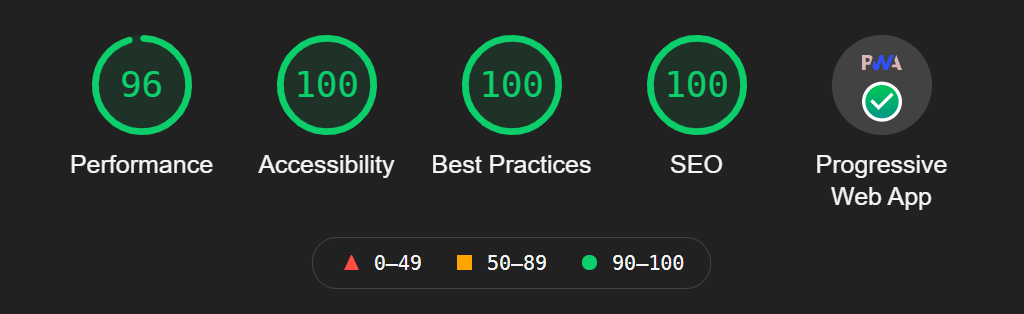
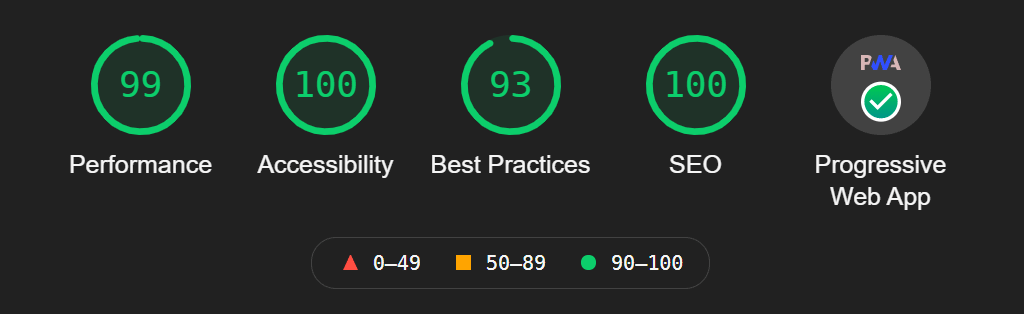
Google Lighthouse is an automated tool that guides web developers in improving the quality of their websites. It inspects about a hundred different aspects of a given web page, then grades the page on a 0-to-100 scale according to five categories: performance, accessibility, best practices, SEO (search engine optimization), and PWA (progressive web app) capabilities.
I used Lighthouse to audit MTG Carpenter’s home page and a deck page, which are the two types of pages in the app that would get the most traffic. From both audits, Lighthouse reports excellent or perfect grades in all five categories. Woo-hoo!
Conclusion
Final Thoughts
So far, MTG Carpenter is by far the most complex thing I’ve programmed myself. My personal longtime interest in Magic: The Gathering helped motivate me to go through with what otherwise might’ve been a tedious slog of a project. (Ironically, I quit playing MTG Arena to have time to work on Carpenter instead.) Since making this app, I’ve gained much more confidence in my JavaScript programming skill.
If I were to do Carpenter all over again:
- I’d use Vue.js 3 instead of Vue.js 2, though this choice is only due to the timing of when I had originally begun working on the app. (Vue.js 3 did exist as a beta version at the time I started, but I preferred to use the more matured version of Vue.js 2 instead.)
- I might consider using NuxtJS, which is a framework on top of Vue.js that’s supposed to make development of Vue apps faster and easier.
- I’d keep in mind that complexity isn’t always better than simplicity. In particular, I had spent an embarrassingly long time trying to code Carpenter’s card sorter, which once had a sorting system that was elaborate, yet confusing and buggy. Eventually I scrapped it in place of a relatively simple system that turned out to be a lot easier yet still fully functional!
- I’d probably not spend so much time writing this overly long article in addition to the app’s User Guide. Hope it’s been informative at least!
I might gradually update Carpenter in the future with new features and enhancements.
What's Next?
If your company needs its own kind of Vue.js (reactive, web-based) app, you could hire me to build it!
Similar Projects
To read about another web app that I both designed and developed myself, see U.S. States Information.
To read about other apps’ graphical user interfaces that I designed, see ScoreOS or Winter Warland.